অনুগ্রহ করে অপেক্ষা করুন। ছবি আটো ইন্সার্ট হবে।





downloaded from here -
Click This Link
Step 1: Visit the above link and click on "Add to Firefox"
Step 2: Once downloaded, you will see the following alert, click "Install"
Step 3: Once it is installed, it will alert you to restart Firefox, please do so
Step 4: Then go here: http://userscripts.org/scripts/show/107159 and find & click "INSTALL" (it's in the upper right)
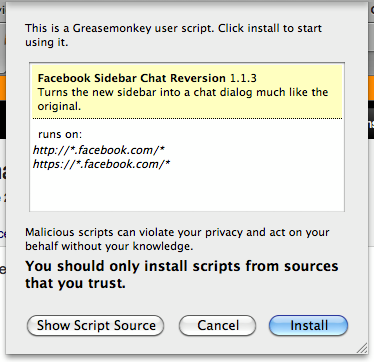
Step 5: This will open an alert like you see below, click install and you are all done.
এভাবেই আপনি আপনার পছন্দের চ্যাটবার পুনরায় পেতে পারেন Firefox এ ।
সর্বশেষ এডিট : ০৪ ঠা আগস্ট, ২০১১ ভোর ৫:২৪